The original Evidence Keeper was built on top of apple notes for a few reasons now obsolete. This new version is all files. The implementation described is for apple, however I don’t think it would be too different anywhere else.
This project borns from the necesity of documenting change over time. Usually when sowing plants or making any sort of renovation project at home its useful to document the before, after, and perhaps the in-betweens. Also, its very handy to keep all the documentation together, invoices, manuals, measurements. etc.
This is as simple as taking photos, photo of the invoice, photo of the corner of the yard, photo of the plant, or seed in the ground. But at the end of the day, these photos get lost in the tsunami of other photos and its a chore to put it back together.
What this workflow does, is to have an option on the ‘share menu’ to collect evidence, Will ask if its a new project or an existing one and will save said file/photo/content in a designated folder.
Ingredients:
- Shortcuts
- Files
The first step is to create a location to store the evidence. For convenience, i’ve added 2 sub-folders ‘ongoing’ and ‘archive’. All the projects will go inside ‘ongoing’ and once its done can be moved over to ‘archive’.
I’ve set mine in
iCloud/Documents/Evidence
iCloud/Documents/Evidence/Ongoing
iCloud/Documents/Evidence/Archive
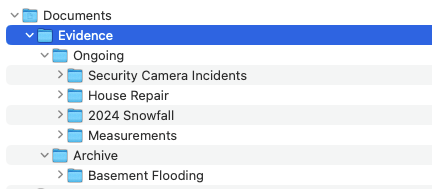
The next step is to setup the shortcut to do as follows:
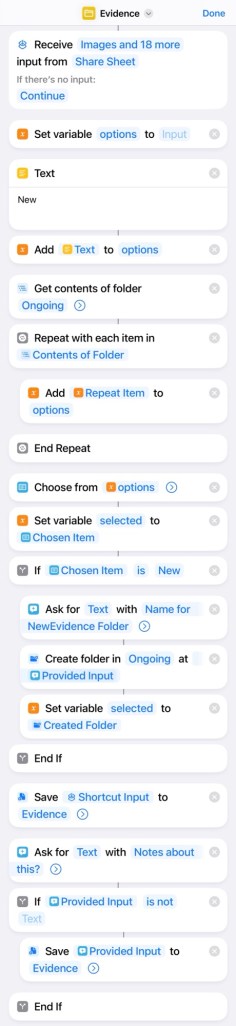
This way every time theres any evidence worth keeping, is as easy as snapping a photo, open the share sheet, hit the ‘evidence’ shortcut and select a project or create a new one. Since it works with files and notes, there’s the option to add a text note to each file, this note will be a .txt file named the same as the image or images.
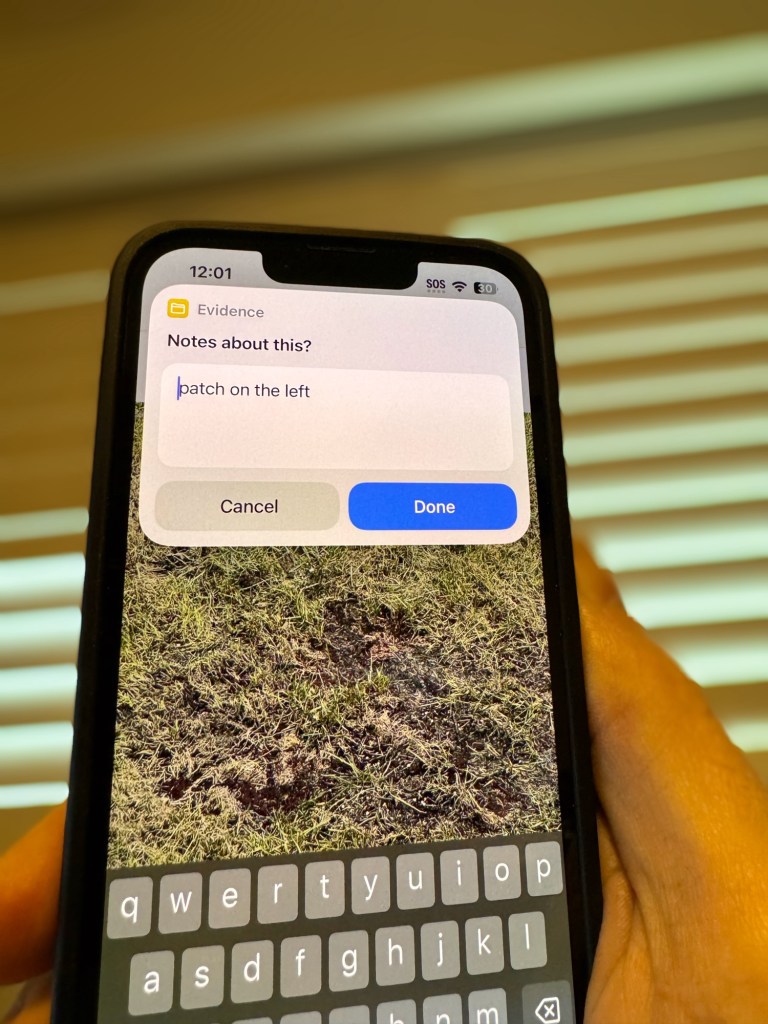
The phone camera is a fantastic way to capture stuff. Notes, measurements, evidence in general. Problem is, most of the time that photo gets lost in the plethora of other photos, family events, portraits, etc. For this, there’s the “Evidence Keeper” shortcut, which does nothing else than adding the given photo to a note and saving it on an ‘evidence’ folder.
This can be adjusted in several ways, for example, instead of saving the photo in notes, can use an album, or many other different small adjustments. Like a question to keep the evidence or delete it from the photo app.
Usecases:
- Beer afficionado, like to keep a photo collection of beer bottles
- Photos of the garden throughout the summer
- Clips of random incidents captured by the security camera.
 Webalab
Leave a comment